The marketing surface of the player frontend: hero banners, bet ticker, homepage layout, promotion landing pages, and push notification setup.
Part two of the CMS configuration moves from foundations to the
acquisition and retention surfaces — the things a player sees
above the fold and the channels you use to bring them back.
What you'll configure
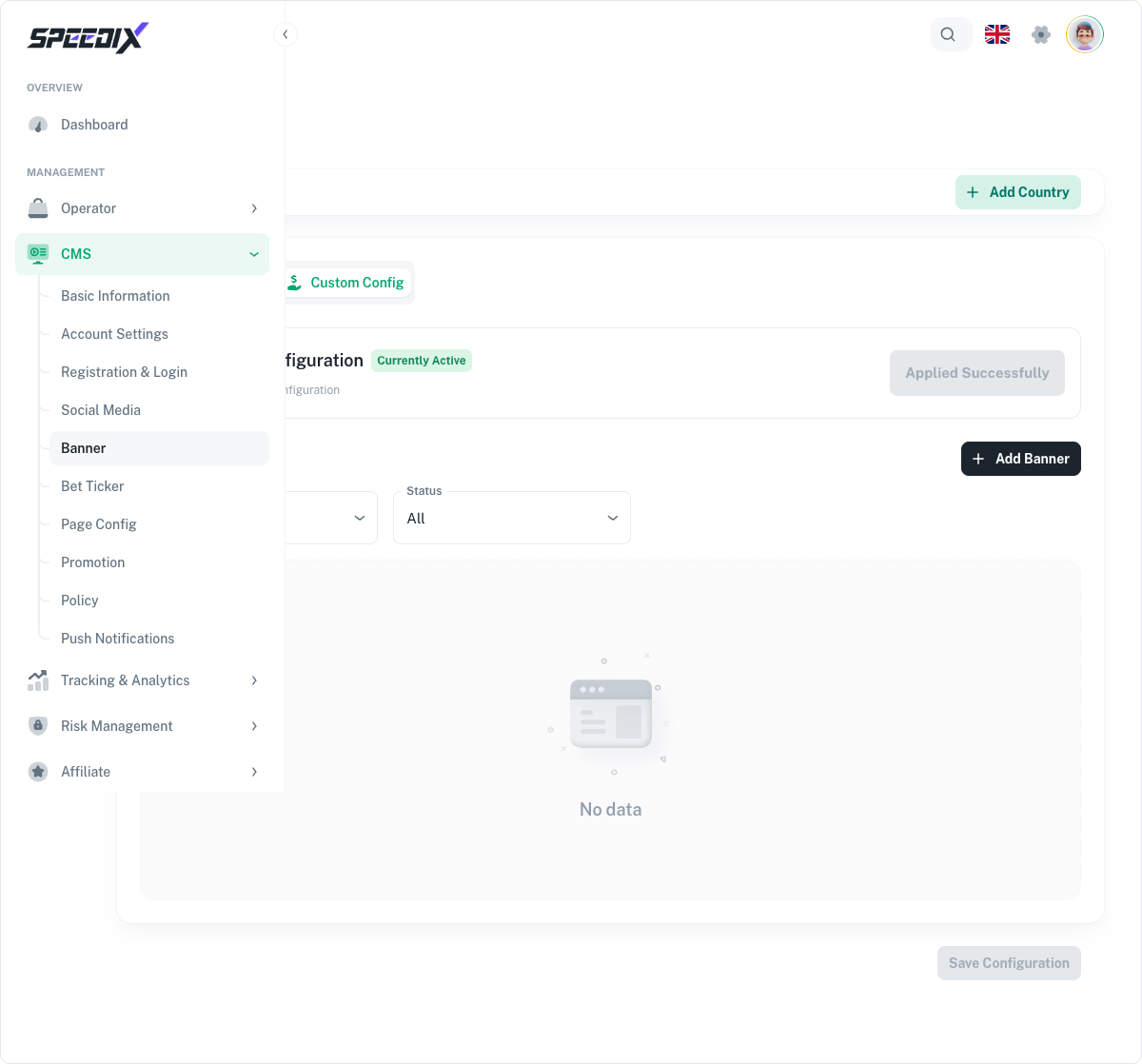
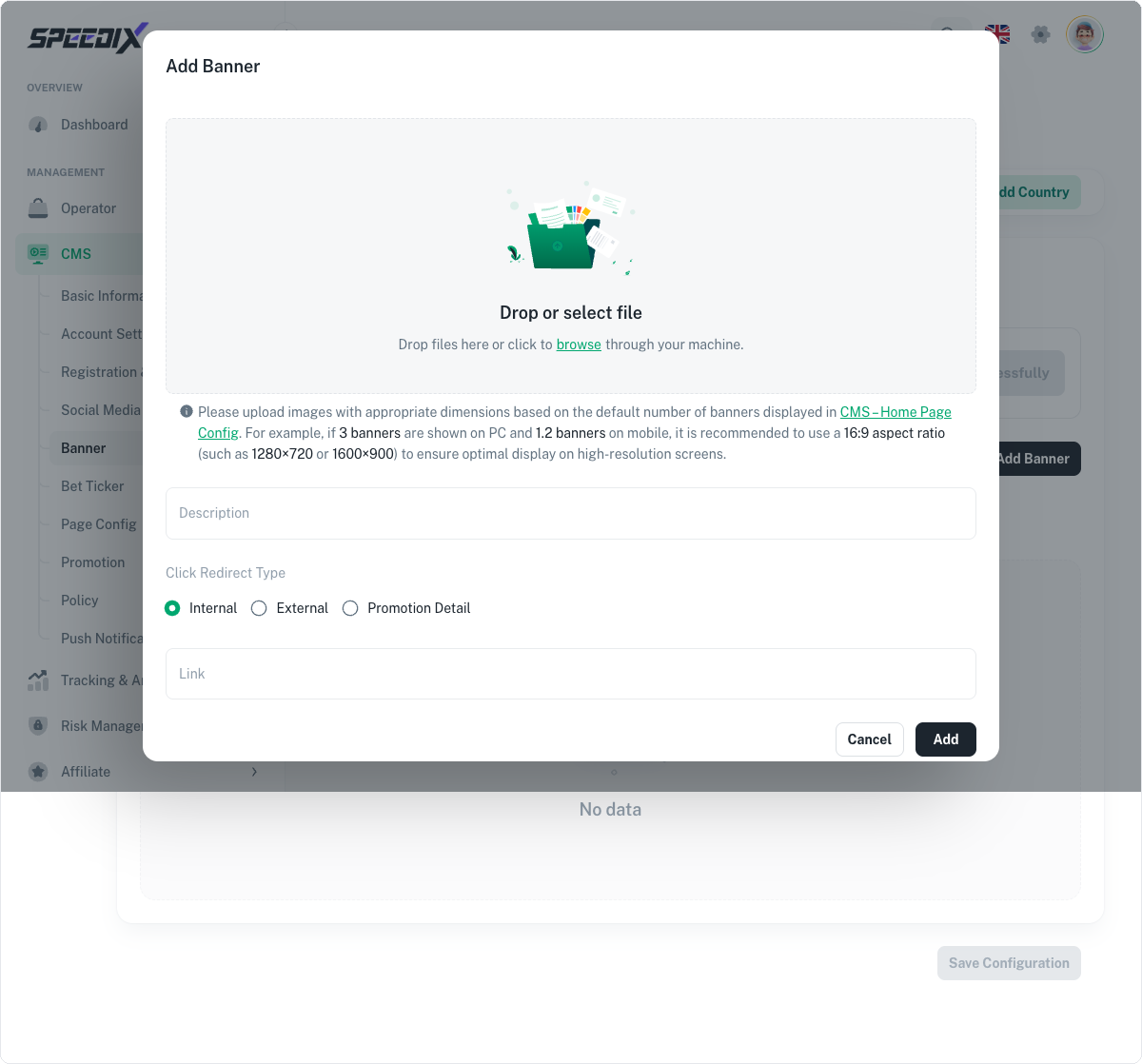
Hero banners. Rotating banner carousel on the homepage and
category pages. Per-banner targeting (region, segment, VIP tier).
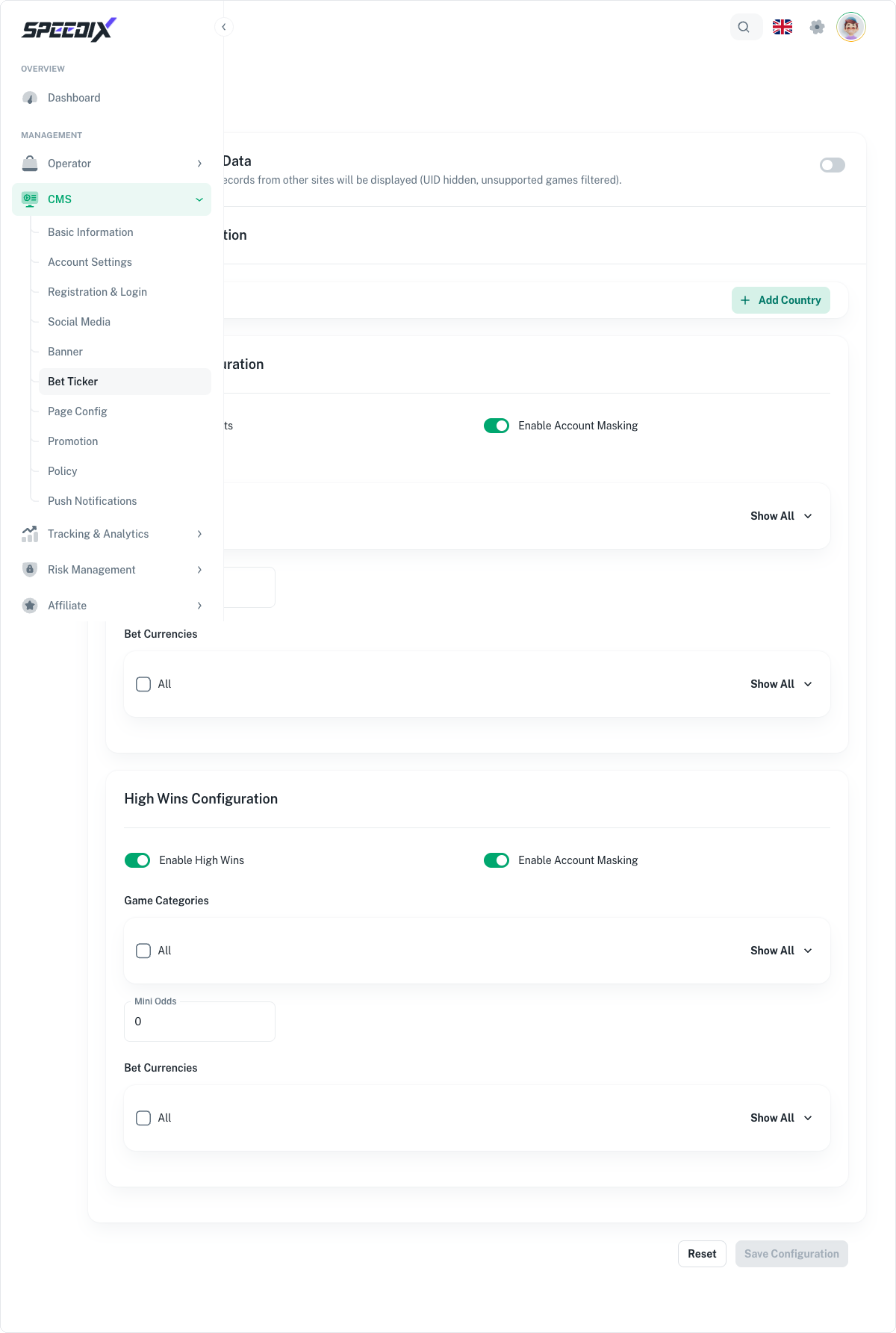
Bet ticker. Live feed of recent big wins and ongoing bets,
configurable density and currency display.
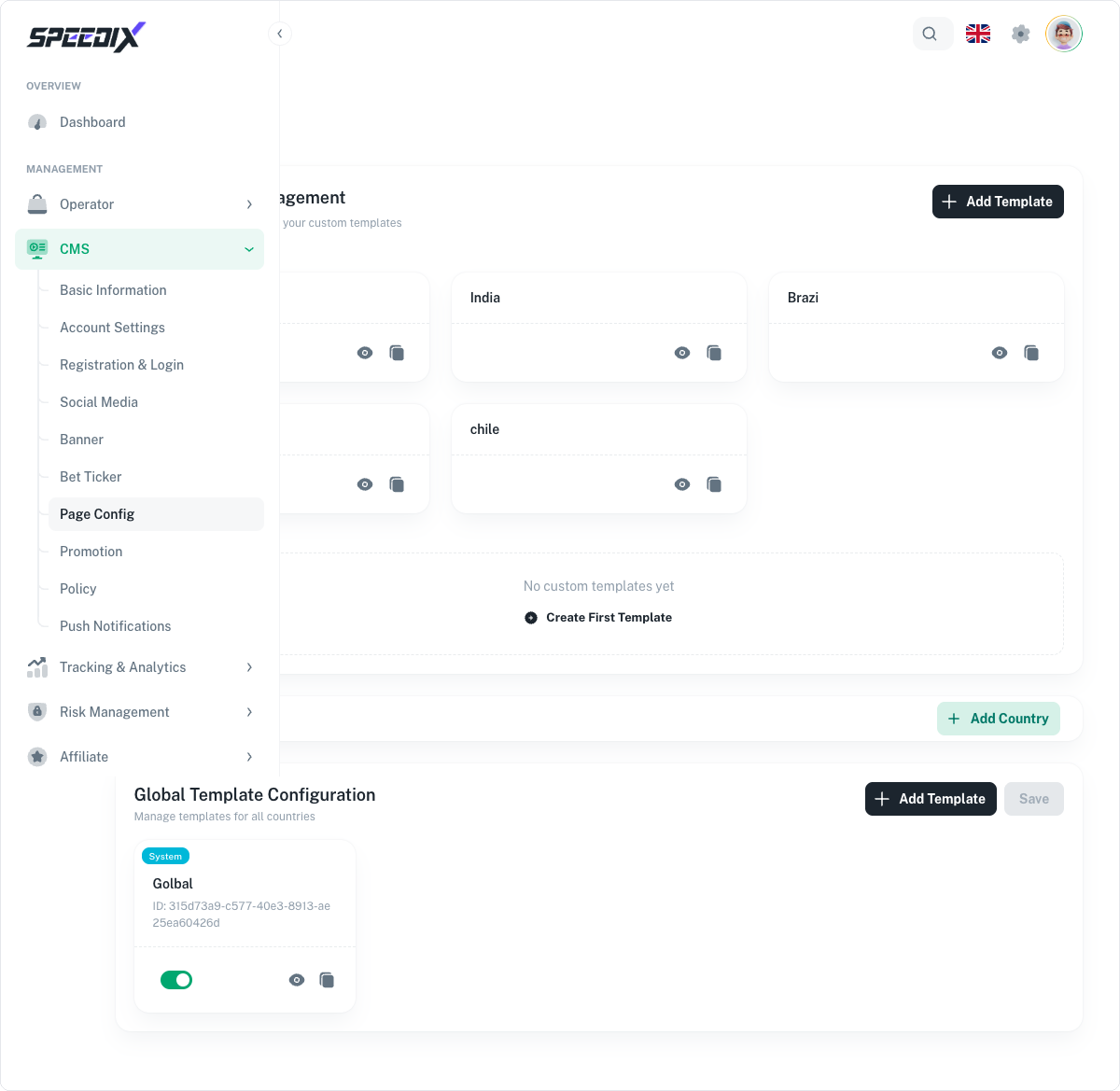
Homepage layout. Section ordering — featured games, jackpot
tiles, live casino strip, promotion grid, recently played.
Promotion landing pages. Templated promo pages tied to
promo codes, with built-in T&Cs and eligibility logic.
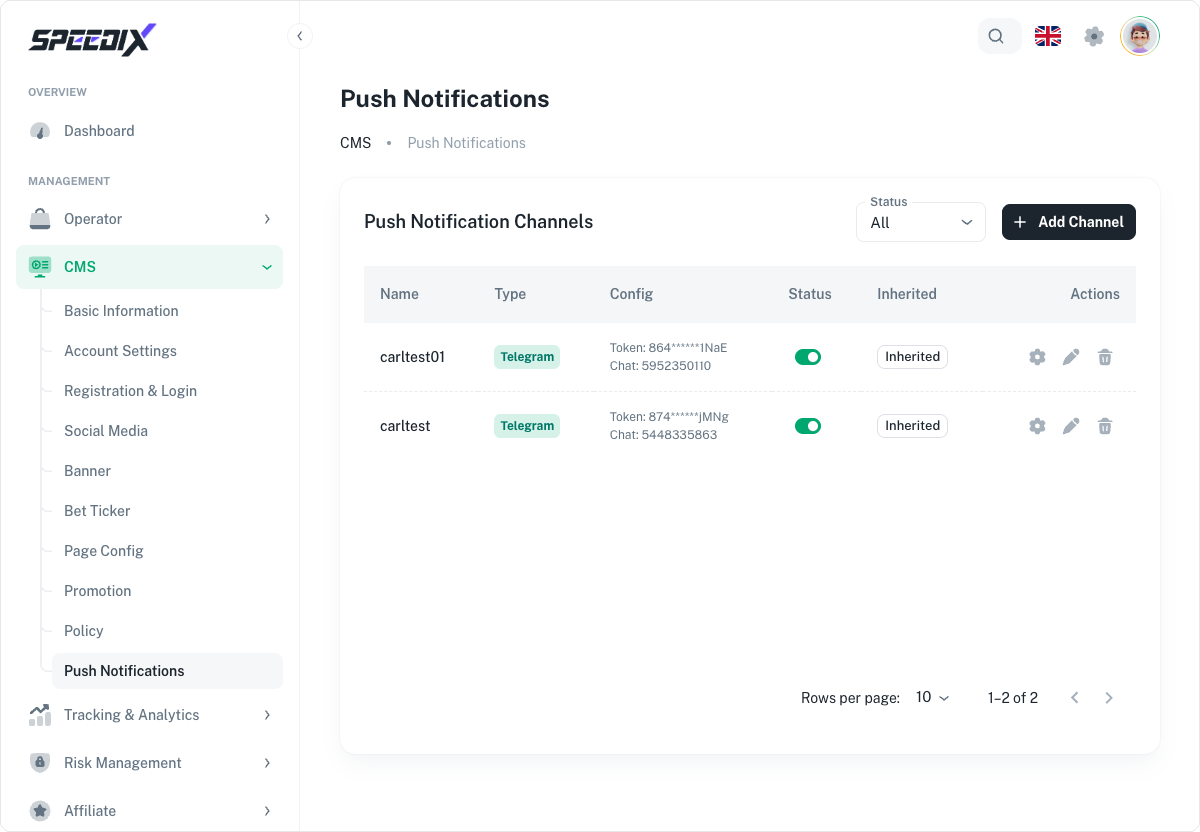
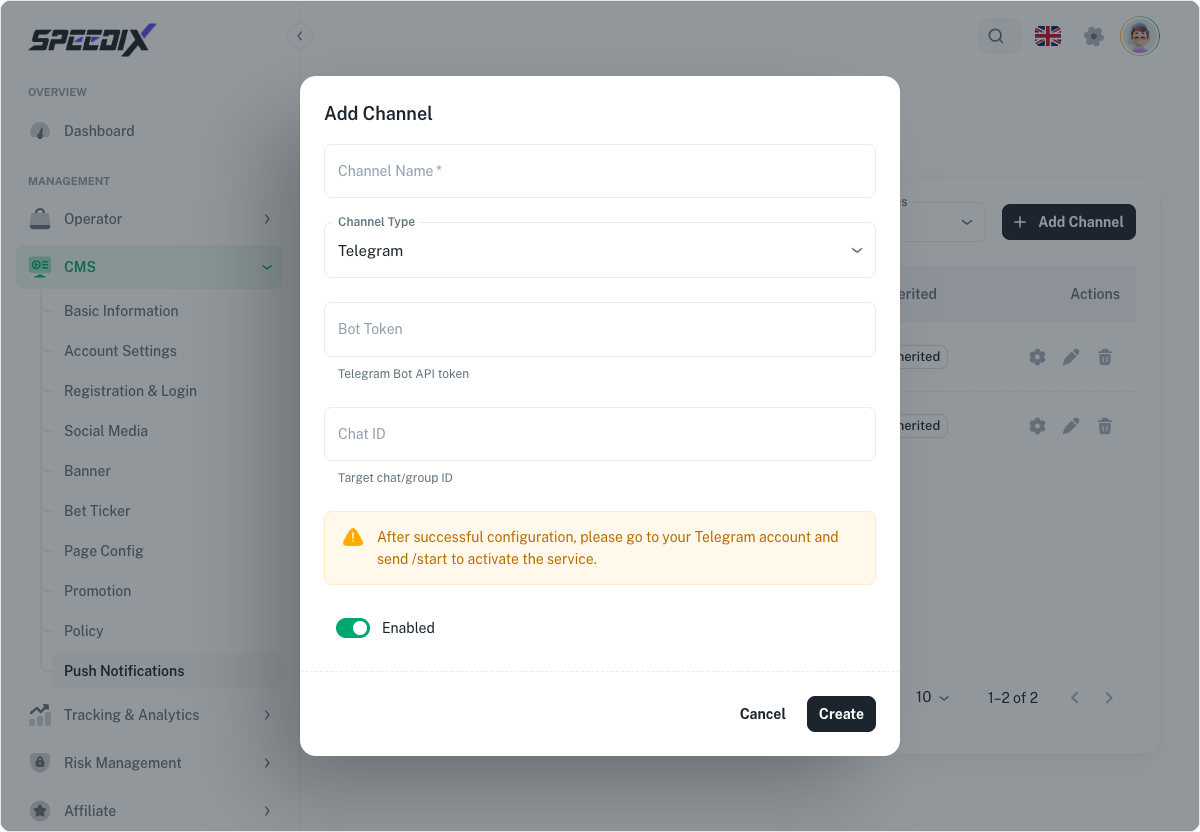
Push notifications. Web push + mobile push channel setup,
segmentation rules, send scheduling.
Full playbook
Open the original for the banner-sizing guide, ticker performance
notes, and the push channel onboarding (Firebase / OneSignal /
self-hosted) walkthrough.
Screenshots
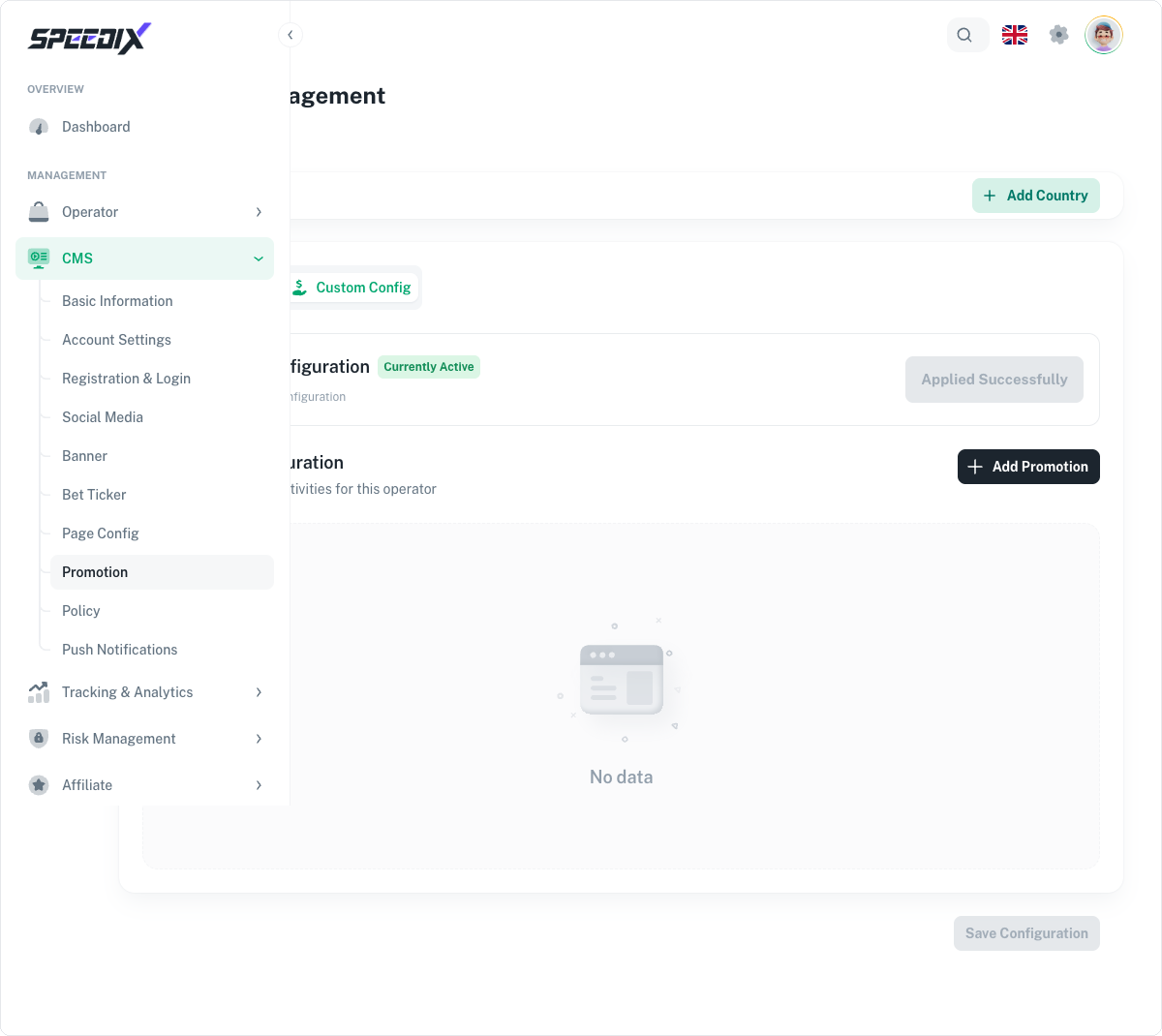
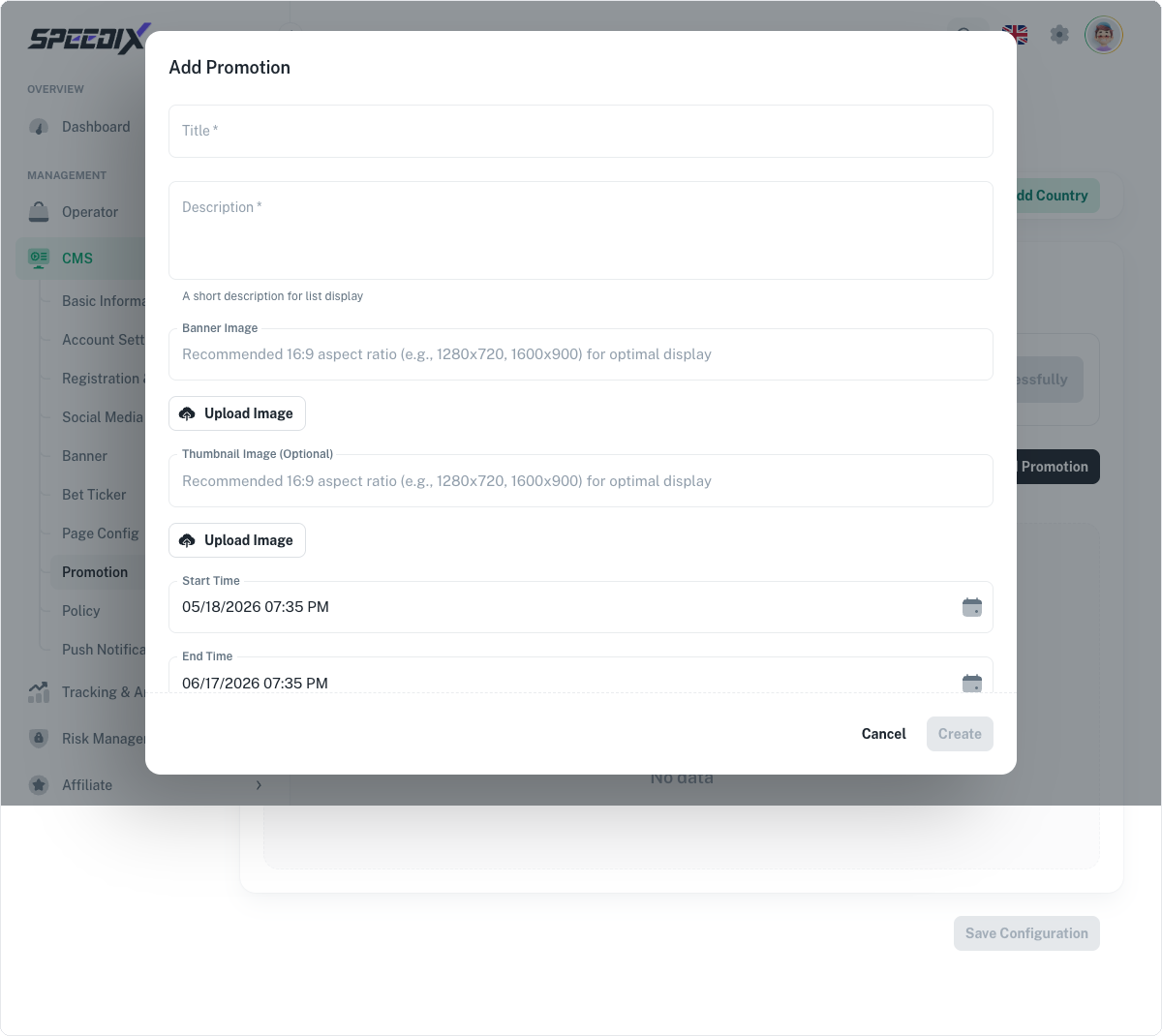
Figure 1.1 — Banner page (Custom Config + Global country tab selected)Figure 1.2 — Add Banner dialogFigure 2 — Bet Ticker full configuration pageFigure 3 — Page Config full pageFigure 4.1 — Promotion list (Custom Config + Global tab)Figure 4.2 — Add Promotion dialogFigure 5.1 — Push Notifications channel list (this demo already inherits 2 Telegram channels)Figure 5.2 — Add Channel dialog (Telegram type by default)